Making a post
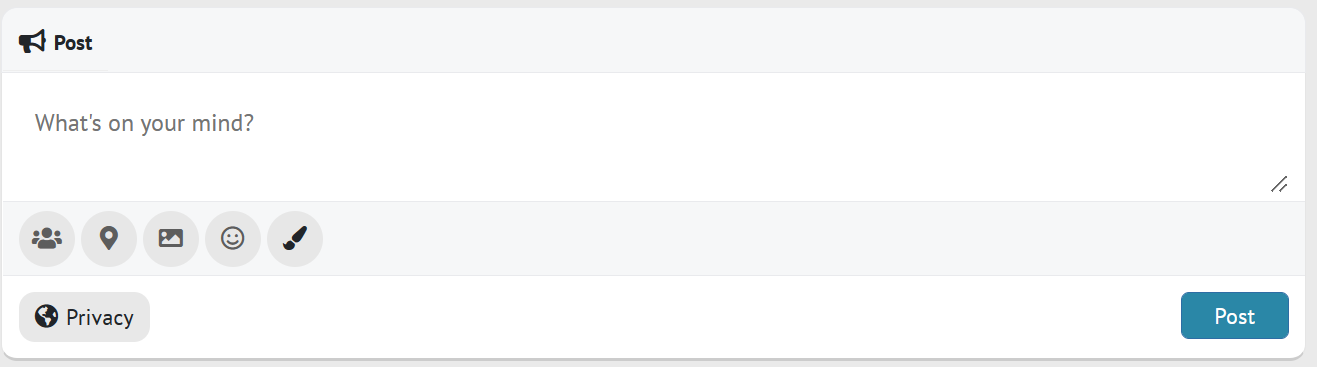
From the homepage (News feed), you will see this box.
-Click "What's on your mind?" to start typing
-Click the people icon to tag (mention) one of your Neaflow friends. They will get a notification about this post.
-Click the map pin icon to add a location.
-Click the photo icon to include a photo in your post
-Click the smiley icon to add an emoji to your post
-Click the paintbrush icon to add a colourful background behinnd your typing
-Click the privacy button to change weather the post is visible publicly or only to your Neaflow friends.
-Click "Post" to submit your post when you are ready.


Video uploads are not currently supported, but adding a YouTube link will make the video playable on Neaflow.